
How you can get more value from Microsoft Copilot using the RACES prompting method
It's clear that tools like Microsoft Copilot are starting to change how recruitment businesses work.
But there’s a problem. Most of us are writing average prompts and getting average results. In reality, the issue is usually not the AI. It’s the prompt.
The quality of the output is heavily influenced by the quality of the instruction. Generic prompts create generic answers. Clear prompts create useful business outcomes.
That’s where the RACES framework comes in.
What is the RACES Method?
RACES is a simple framework designed to help recruiters,managers, and leaders write more effective AI prompts.
It stands for:
R - Role
A -Aim
C - Context
E - Expectations
S - Sources
Instead of typing vague requests into Copilot, RACES helps structure prompts so the AI understands:
- Who it should act as
- What it needs to do
- Why it matters
- How the output should look
- What information it should use
The result is dramatically better outputs with less rewriting and less frustration.

R — Role
Start by telling Copilot who it should act as.
This immediately changes the tone, perspective, and expertise level of the response.
Examples:
- “Act as an experienced recruitment consultant.”
- “Act as a marketing specialist.”
- “Act as a staffing business owner analysing operational performance.”
- “Act as a candidate engagement expert.”
Without a role, Copilot defaults to generic responses.
With a role, the outputs become more targeted and commercially relevant.
Recruitment Example
Instead of: “Write a client email.”
Try: “Act as a senior technology recruitment consultant writing to a hiring manager.”
You’ll usually get a much stronger result immediately.

A — Aim
Next, clearly define what you want Copilot to do.
Recruiters often make prompts too broad.
The more specific the objective, the more useful the response.
Examples:
- Write
- Summarise
- Analyse
- Create
- Compare
- Improve
- Critique
- Generate ideas
Recruitment Example
Weak prompt: “Help with this CV.”
Better prompt: “Summarise this CV into a concise candidate profile highlighting commercial achievements, leadership experience, and suitability for a Head of Finance role.”
Now the AI understands the actual task.

C — Context
Context is where the magic happens.
AI tools are incredibly powerful, but if you don’t provide background information, they fill the gaps with assumptions.
In recruitment, context matters enormously.
Useful Context Could Include:
- Industry sector
- Candidate seniority
- Client culture
- Job requirements
- Tone of communication
- Business goals
- Geography
- Existing challenges
- Previous conversations
Recruitment Example
Instead of: “Write a job advert.”
Try: “Write a job advert for a London-based SaaS business hiring an Enterprise Account Executive. The company is high growth, Microsoft-focused,and targeting experienced B2B SaaS sellers.”
The quality difference is huge.
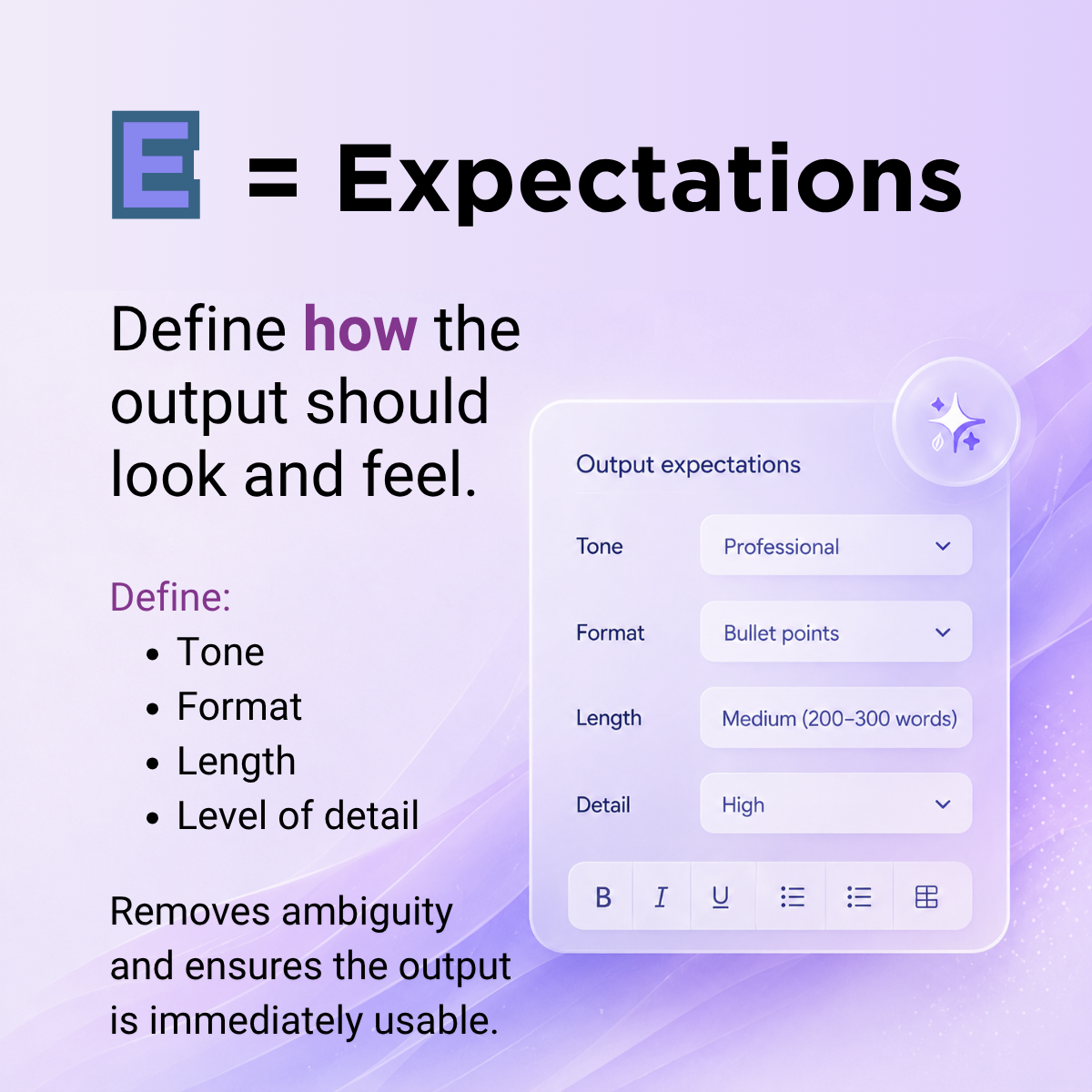
E — Expectations
This is one of the most overlooked parts of prompting.
Tell Copilot exactly how you want the output structured.
You Can Define:
- Length
- Tone
- Format
- Level of detail
- Audience
- Style
Recruitment Examples
- “Keep it under 150 words.”
- “Use bullet points.”
- “Make the tone conversational but professional.”
- “Write it for a CFO audience.”
- “Keep it punchy and commercial.”
Recruitment Example Prompt
“Create a LinkedIn post aimed at recruitment agency leaders about AI in staffing. Keep it under 200 words, conversational in tone, and finish with a strong question.”
This removes ambiguity and reduces editing time.

S — Sources
Finally, tell Copilot what information it should use.
This is critical for accuracy and relevance.
Recruitment businesses sit on huge amounts of valuable information:
- CRM data
- Job descriptions
- Candidate CVs and resumes
- Sales notes
- Meeting transcripts
- Marketing materials
- Performance reports
- Client documentation
Copilot becomes far more powerful when grounded in realbusiness information.
Recruitment Example
“Using the attached client brief and candidate CV, create atailored candidate introduction email highlighting the strongest alignmentpoints.”
Or: “Using last quarter’s sales report, identify three trendsaffecting recruiter productivity.”
This turns AI from a generic writing tool into a businessintelligence assistant.
Practical Ways Recruiters Can Use Copilot with RACES
Recruitment Consultants
- Candidate summaries
- Outreach emails
- Interview prep
- Job adverts
- LinkedIn posts
- Call summaries
- CV formatting
- Objection handling
Recruitment Managers
- Team performance analysis
- Coaching summaries
- Sales reporting
- Market insight generation
- Process documentation
- Training material creation
Recruitment Business Leaders
- Board summaries
- Strategy documents
- Marketing content
- Market analysis
- Operational reviews
- Investor communications
- Thought leadership
Example of a Strong Recruitment Prompt Using RACES
"Act as a senior recruitment consultant specialising intechnology sales hiring. Create a candidate introduction email for a VP Salescandidate applying to a SaaS company. The client is a PE-backed business focused on scalinginternationally and values commercial leadership and enterprise salesexperience. Keep the tone professional but persuasive, under 250 words,and structure it as a concise email. Use the attached CV and client brief as source material."
That single prompt gives Copilot clarity on:
- Role
- Aim
- Context
- Expectations
- Sources
And the output quality improves significantly.
AI Will Reward Clear Thinkers
The recruitment businesses getting the most value from AI won’t necessarily be the ones with the biggest database or the most consultants.They’ll be the ones that learn how to communicate clearly with AI systems. Good prompting is quickly becoming a real commercial skill. The RACES framework gives recruiters a practical way to structure prompts, improve output quality,and save time across sales, recruiting, operations, and marketing activity.
AI Inside Your Recruitment Workflow
Of course, AI becomes even more powerful when it’s embedded directly into your recruitment platform and workflows.
At Mercury, we have our own AI capabilities built specifically for recruitment businesses, helping teams automate activity,improve data quality, accelerate processes, and work more effectively across sales and recruiting workflows.
As a Microsoft-native platform, Microsoft Copilot also works within the Mercury ecosystem, enabling recruiters and leaders to combine the power of AI with the data, workflows, and processes they already use every day.
If you’d like to learn more about how AI and Copilot cansupport your recruitment business, get in touch with the Mercury team.